Ticket Management Support Knowledge Hub System Updates & Enhancements

WEM Support System — Intelligent Help by NEMBHARAT

Access reliable support for mobility services, driver-partner assistance, and platform queries. Explore structured guides and solutions designed for a transparent, secure, and seamless experience.

24/7 Mobility Support Assistance

Transparent & Fast Resolution System

Compliance-Driven Expert Team

NEMBHARAT Knowledge Hub

Discover step-by-step guides, operational help, and platform insights to efficiently use WEM’s mobility ecosystem — from booking to driver support and system navigation.

No category found

Support & Service FAQs

Get quick answers about bookings, payments, driver partnerships, safety standards, and platform usage within the NEMBHARAT ecosystem.

To create a support ticket, click the "Create Ticket" button in the top navigation. Fill out the ticket form with your issue details, including any relevant screenshots or files. Our support team will respond within 24 hours.

We aim to respond to all tickets within 24 hours during business days. Priority and urgent tickets may receive faster responses. You'll receive email notifications when we reply to your ticket.

You can track your ticket status by logging into your account and visiting the "My Tickets" section. Each ticket will show its current status - Open, In Progress, or Resolved.

Yes, you can add additional comments or attachments to your ticket at any time. Simply log in, go to your ticket, and use the reply function to provide more information.

Include as much detail as possible - describe the issue, steps to reproduce, error messages, and any relevant screenshots. The more information you provide, the faster we can help resolve your issue.

Once your issue is resolved, you can close the ticket by clicking the "Close Ticket" button. You can always reopen it if needed. We appreciate your feedback on the resolution.

We have three priority levels: Low, Medium, and High. Priority is assigned based on issue urgency and impact. High priority tickets receive immediate attention from our support team.

While tickets are our primary support channel, you can also reach us through live chat during business hours or email for urgent issues. However, creating a ticket ensures the best tracking and response.

A smart mobility platform ensuring safe, reliable, and seamless travel.

Yes, all vehicles are quality-checked, regularly sanitized, and maintained for passenger safety and comfort.

Enter pickup & drop, choose ride type, and confirm booking.

Yes, with verified drivers, live tracking, and support assistance.

Based on Base fare, Distance Fare, if Airport Parking charge and convenience fee, with transparent pricing.

A service charge for platform, technology, and customer support.

Get driver details, track arrival, and start ride with OTP verification.

Yes, NEMBHARAT offers prepaid online payment for a faster and hassle-free experience.

Choose from prepaid online payment or pay after ride (as applicable).

Use in-app support for quick assistance on any issue.

Need Assistance? Raise Your Support Ticket

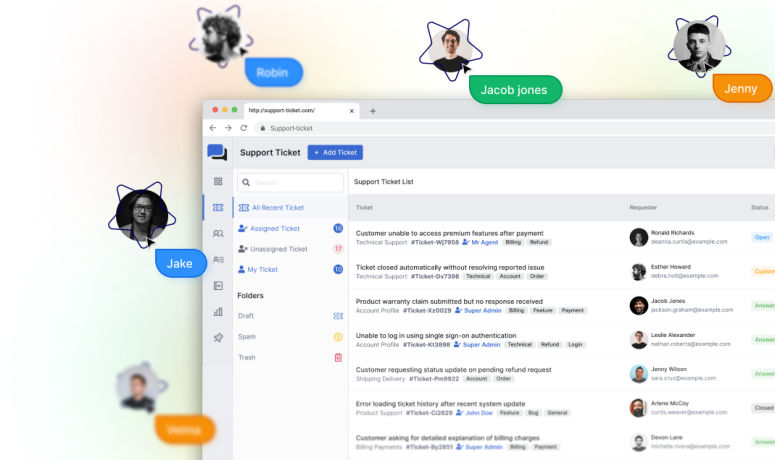
Resolve issues faster with our structured ticketing system — built to ensure transparency, accountability, and efficient resolution for riders, partners, and stakeholders.

Create Support Ticket

24/7 Mobility Support Assistance

Transparent & Fast Resolution System

Compliance-Driven Expert Team